> ## Documentation Index
> Fetch the complete documentation index at: https://docs.rendless.com/llms.txt
> Use this file to discover all available pages before exploring further.
# Introduction
> Welcome to the Rendless documentation
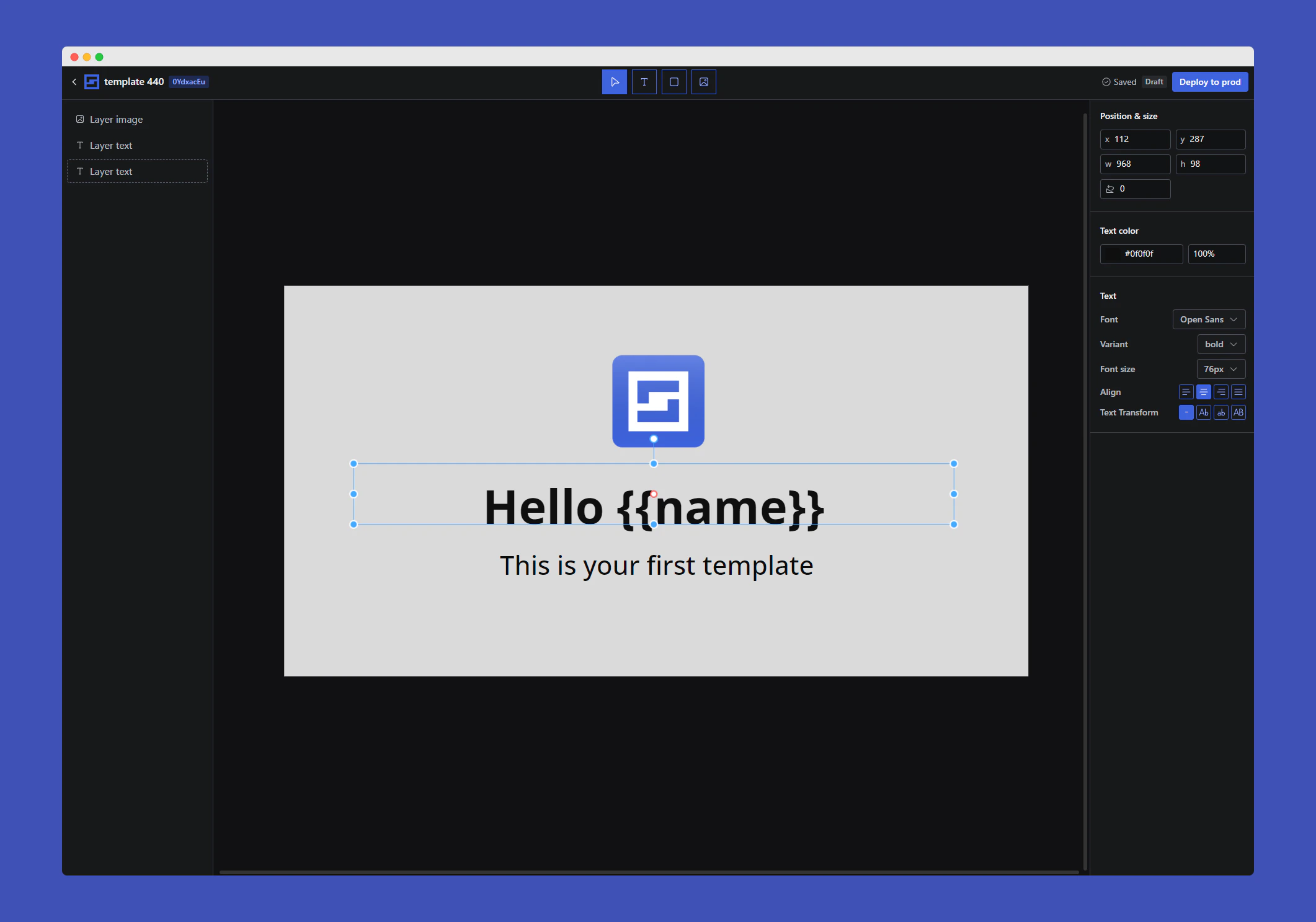 Rendless is an og image as a service API. It allows you to generate images for your website or app on the fly with [dynamic content using variables](/essentials/variables). You can use it to generate social media images, blog post images, and more.
## Setting up
The first step to world-class documentation is setting up your editing environments.
Get started by rendering your first image
Learn everything about API routes
## More about rendless
Learn more about Rendless and how to create dynamic images with ease.
Customize your images with variables
Render dynamic og images in WordPress
Rendless is an og image as a service API. It allows you to generate images for your website or app on the fly with [dynamic content using variables](/essentials/variables). You can use it to generate social media images, blog post images, and more.
## Setting up
The first step to world-class documentation is setting up your editing environments.
Get started by rendering your first image
Learn everything about API routes
## More about rendless
Learn more about Rendless and how to create dynamic images with ease.
Customize your images with variables
Render dynamic og images in WordPress